



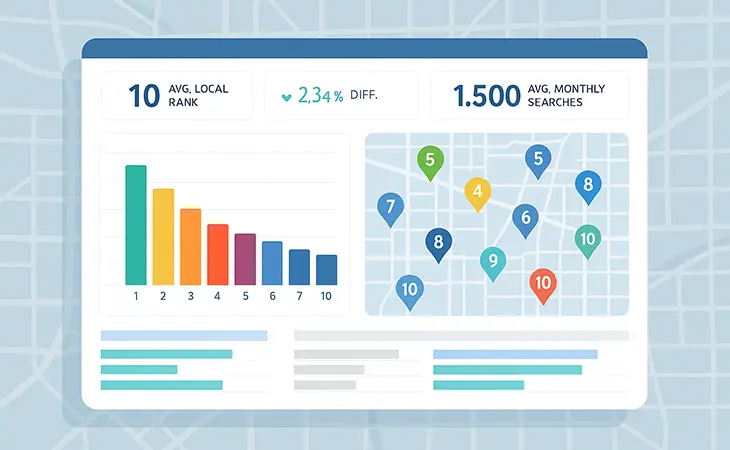
The local marketing tools that matter most for a small business are free: Google Business Profile, Google Search Console, Bing Places and Apple Business Connect. Add paid tools only when they solve a specific problem you already have, like keeping listings consistent or tracking your rankings on the map.
That’s the honest answer, and it’s not what most tool roundups tell you. Most of them are written by people who earn a commission when you sign up. So here’s the list sorted by what each tool is actually for, with the free ones first.
Start with the free four
If you only do this section, you’re ahead of a lot of your competitors.
- Google Business Profile. This is what shows up on Google Maps and in the local results. Google says local ranking comes down to relevance, distance and prominence, and a complete, active profile helps with the first and last of those. Our Google Business Profile checklist walks through setup.
- Google Search Console. It shows which searches your website appears for, where you rank, and whether Google has trouble with any pages. It’s the closest thing to a free report card. We explain how to read it in what Google Search Console tells you.
- Bing Places. Bing gets far less traffic than Google, but its business data travels to other places people search, and claiming it takes about as long as a coffee break.
- Apple Business Connect. This controls how your business looks in Apple Maps. Every iPhone owner who asks Siri for “a plumber near me” is looking at Apple’s data, not Google’s.
Think about it this way: these four are where customers find you. Everything else on this list helps you manage, measure or promote what’s here.
Measure what’s working
- Google Analytics 4 (free). It tells you who visits your website, where they came from and what they did. It can be confusing at first, so don’t try to track everything. Our guide to what small businesses should track in GA4 covers the handful of numbers that matter.
Between Search Console and Analytics, you can answer the two questions that matter: are people finding us, and are they calling once they do?
Keep your listings consistent
Your business name, phone number and location appear on dozens of directories. When they disagree, customers get confused and search engines get less sure about you. We cover why in what citations are and why they matter.
- Moz Local (paid). Pushes your details to a network of directories and flags duplicates. A good fit if you’ve moved, changed phone numbers or renamed the business.
- Yext (paid). Same idea, aimed at bigger operations with many locations. For a single-location shop, it’s usually more than you need.
Track your rankings and reviews
- BrightLocal (paid). Built for local businesses. It tracks where you show up on the map in different parts of town, audits your listings, and helps you keep up with reviews. If you’re doing your own local SEO, this is the one paid tool we’d pick first.
- Semrush Local (paid). Good if you also want keyword and competitor research in the same place. It does a lot, so it takes longer to learn.
Promote and stay in touch
- Canva and an email tool like MailerLite (free plans available). Canva makes decent graphics for your profile posts and social media without a designer. An email list lets you reach past customers when it’s slow, which no algorithm can take away from you. Meta Business Suite is free too, if you post on Facebook and Instagram.
What to use, by budget
- $0: Google Business Profile, Search Console, Bing Places, Apple Business Connect, Google Analytics 4 and the free plan of an email tool. That’s a real foundation, not a starter kit.
- A small monthly budget: add one tool that fixes your biggest problem. Messy listings call for Moz Local. Not knowing where you rank on the map calls for BrightLocal.
- More than that: the next dollar usually does more on your website or your Google profile than on another subscription.
Plans and prices change often, so check each tool’s current pricing page before you sign up. Most have a free trial, and it’s worth using it on a real task, not just poking around.
A 20-minute monthly routine
Tools only help if you look at them. Once a month, put this on the calendar:
- In Google Business Profile, answer any new reviews and questions, then add a few fresh photos of real work.
- In Search Console, check which searches brought the most clicks and whether any page lost ground.
- In Analytics, compare calls and form fills with last month. Traffic matters less than the calls it turns into.
- Search your business name on Google, Bing and Apple Maps. Confirm your hours, phone number and website link are right everywhere.
Write down one thing to fix, and fix it before next month. That habit beats any subscription.
The honest limit of DIY tools
Tools report problems. They don’t fix them. BrightLocal can tell you you’ve dropped off the map in the north end of your service area, but it won’t rewrite your service pages or get you more reviews. The owners who do well with these tools pick two or three, check them on a schedule, and actually act on what they see.
If you hit the point where you know what’s wrong but don’t have the hours to fix it, that’s usually when outside help pays for itself. Until then, the free four will take you further than most people expect.
Know what’s wrong but short on time? See how our local SEO services handle the fixing part.
Common questions
What are the best free local marketing tools?
Google Business Profile, Google Search Console, Bing Places, Apple Business Connect and Google Analytics 4. Together they cover how customers find you on maps and search, and how many of them reach your website.
Do I need a paid local SEO tool?
Not at first. Paid tools help once you have a specific problem, like inconsistent listings or not knowing where you rank on the map. Pick one tool for that problem instead of buying a bundle.
Is Apple Business Connect worth setting up?
Yes, for most local businesses. It controls how you appear in Apple Maps, which iPhone users see when they search with Siri or Maps. It’s free and takes little time to claim.
Further Reading
Official help pages for the free tools above:
- Google Business Profile Help – Tips to improve your local ranking on Google
- Search Console Help – About Search Console
- Apple Support – Apple Business Connect User Guide
- Microsoft – Bing Places for Business
- Google – Google Business Profile