



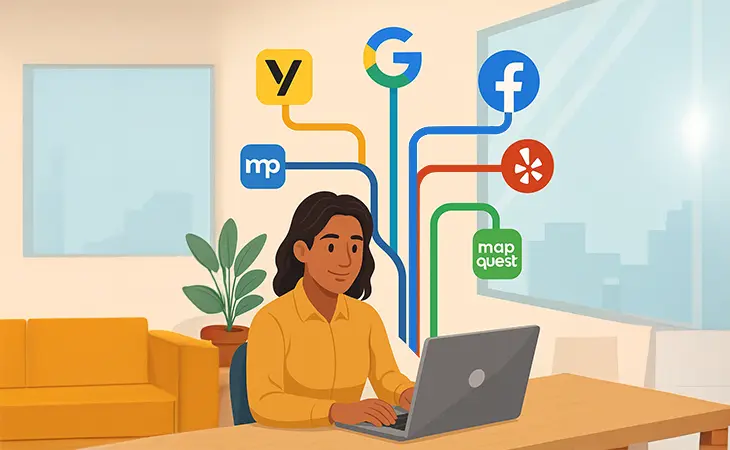
“Your next customer might already be searching for you – but if your citations aren’t set up right, they’ll find your competitor instead.”
Now that you know what citations are, let’s talk about how to actually use them.
Citations aren’t just about being listed, they’re about being listed right. For business owners, that means creating a system that keeps your business information consistent, trustworthy, and easy to find no matter where customers are searching.
Here’s how to use citations to strengthen your local SEO and bring more customers through your doors.
Step 1: Audit Your Current Citations
Before you add new listings, you need to know what’s already out there.
Start by Googling your business name and address. You’ll probably see results from Yelp, Manta, Facebook, or other directories you didn’t even know existed.
Write down every place where your business is mentioned, even the outdated ones.
If you find conflicting info (different phone numbers, old addresses, or incorrect hours), mark those for correction. Inconsistent citations can lower your rankings and confuse both customers and search engines.
Step 2: Claim and Verify All Listings
Every major directory has an option to claim your business. This gives you control over what’s shown.
Top platforms to start with:
-
Yelp
-
Bing Places
-
Facebook Business
-
Better Business Bureau (BBB)
-
Angi
-
Chamber of Commerce
Verification often means confirming via phone, email, or postcard, but once you’re verified, you control your narrative.
Step 3: Keep NAP Consistency Everywhere
Your Name, Address, and Phone number (NAP) should look identical across every platform.
Example:
✅ J&B Plumbing, 123 Main St., Pembroke Pines, FL 33026
❌ J & B Plumbing, 123 Main Street Suite 100, Pembroke Pines FL
Even minor differences can make search engines second-guess whether it’s the same business. Copy and paste your info exactly as it appears on your Google Business Profile.
Step 4: Add Depth – Not Just NAP
The more complete your listings, the stronger your citations. Fill out every available field:
-
Business description
-
Hours of operation
-
Website link
-
Photos
-
Services offered
This extra detail doesn’t just help rankings, it builds trust. Customers are more likely to click on listings that look polished and complete.
Step 5: Don’t Forget Industry-Specific Directories
General directories (like Yelp or Yellow Pages) are great, but industry-specific citations often carry more weight.
Examples:
-
Lawyers: Avvo, FindLaw
-
Doctors: Healthgrades, Zocdoc
-
Contractors: Houzz, Angi, HomeAdvisor
-
Real Estate: Realtor.com, Zillow
Find where your competitors are listed and make sure you’re there too.
Step 6: Automate or Outsource Citation Management
If your business has multiple locations or frequent updates, tools like BrightLocal, Whitespark, or Yext can automate the process.
For smaller businesses, hiring a local SEO expert (like us at Rocket Web Designer) can ensure everything is accurate and synced across all platforms.
Step 7: Keep Them Updated
Citations aren’t a one-and-done task. Moved offices? Changed your number? Update your listings immediately.
Pro tip: Schedule a quarterly audit to catch outdated info before it starts affecting your search performance.
Final Thoughts
Knowing how to use citations as a business owner can give your local SEO a serious boost, but it’s not just about quantity. It’s about consistency, accuracy, and visibility.
When your business info is clean and consistent across the web, you make it easy for both Google and your customers to trust you.
And trust online? That’s the first step toward more calls, more reviews, and more growth.
Further Reading
Further Reading
Want to dive deeper into building local authority and visibility? These resources expand on how citations fit into a winning SEO strategy:
- Rocket Web Designer – What Are Citations and Why They Matter as a Business Owner – Learn the foundation of citations before diving into optimization.
- Rocket Web Designer – How to Rank Higher on Google Maps in 2025 – Why accurate citations directly affect your visibility on Google Maps.
- BrightLocal – What Are Local Citations? – A trusted source for citation research and management tips.
Ready to Fix Your Website for Good?
Let’s Grow Your Business Online
From websites to automation, we’ve helped 100+ business owners grow online
Book Your Free Strategy Call
