



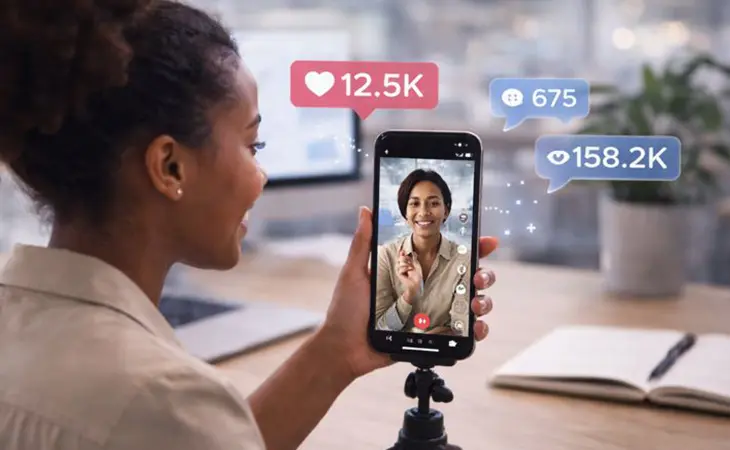
Going viral on TikTok in 2026 looks nothing like it did a few years ago. It’s no longer about chasing trends blindly or hoping a lucky post explodes overnight. The platform has matured, audiences are smarter, and the algorithm is far better at rewarding content that keeps people watching, interacting, and coming back for more.
For business owners, TikTok has become less about “fun videos” and more about visibility, trust, and top-of-funnel growth. The brands that go viral consistently aren’t louder. They’re clearer, faster to the point, and deeply aligned with what their audience already wants to hear.
The Algorithm Favors Retention, Not Hype
TikTok’s algorithm in 2026 is heavily retention-driven. Watch time, rewatches, and completion rate matter far more than likes alone. A video that keeps someone watching for 80% of its length will outperform a flashier video that people scroll past after three seconds.
This is why hooks matter more than ever. The first two seconds decide whether the rest of your video even exists. Successful creators open with tension, curiosity, or a strong statement that feels immediately relevant to their viewer’s life or business.
If your content explains something, solves a problem, or challenges a belief, lead with the outcome. Tell viewers what they’ll learn or realize before the video ends. Viral TikToks earn attention instead of asking for it.
Relatable Expertise Beats Polished Production
Highly produced videos don’t automatically perform better. In fact, overly polished content can feel less trustworthy on TikTok. Viewers respond to clarity, confidence, and relatability more than perfect lighting or transitions.
Business owners who go viral often speak directly to the camera, explain one specific idea, and avoid trying to cover too much at once. The goal is not to teach everything. It’s to spark recognition. When viewers think, “That’s exactly my problem,” they stay.
In 2026, TikTok rewards people who sound like real humans with real experience. You don’t need a script. You need a point.
Why Business Accounts Go Viral Slower but Last Longer
Business accounts often complain that personal creators go viral faster. That is usually true in the short term. What businesses gain instead is durability. Content tied to real problems, real expertise, and real outcomes continues getting views weeks or months later.
TikTok in 2026 increasingly favors content that ages well. Educational, opinion-driven, or experience-based videos often resurface long after posting. This is especially powerful for service businesses and ecommerce brands that want consistent traffic, not one-hit spikes.
Going viral once is exciting. Building a library of videos that keep working is what actually grows revenue.
Consistency Trains the Algorithm
Viral success is rarely one post. It’s momentum. TikTok learns who to show your content to based on patterns over time. Posting consistently around a clear theme helps the algorithm understand your audience faster.
Creators who jump between unrelated topics slow their own growth. Businesses that focus on one lane – whether that’s marketing advice, behind-the-scenes operations, customer education, or industry insights – build familiarity and trust.
Consistency also lowers pressure. When every post doesn’t have to “win,” you show up more naturally. Ironically, that’s when performance improves.
Comments Are a Growth Engine
In 2026, TikTok treats comments as signals, not just reactions. Videos that spark discussion often travel further than videos that simply get likes. Asking a thoughtful question at the end of your video can double engagement without feeling forced.
Replying to comments with video responses is one of the fastest ways to grow. These replies often get shown to new audiences and position you as active, responsive, and knowledgeable. For businesses, this is a powerful trust builder.
Viral creators don’t just post. They participate.
The Role of AI in TikTok Content Creation
AI is quietly reshaping how TikTok content gets made, not by replacing creators, but by speeding up thinking. Businesses use AI to outline hooks, test angles, and refine messaging before filming. This reduces friction and helps owners show up consistently.
What still cannot be automated is perspective. The videos that perform best combine AI-assisted structure with real human experience. Viewers can tell the difference immediately.
In 2026, the winners are not using AI to fake authenticity. They are using it to remove excuses.
Why TikTok Is a Top Funnel, Not a Sales Page
One reason businesses fail on TikTok is treating it like a direct sales channel. TikTok is discovery-first. People are not there to buy immediately. They are there to learn, relate, or feel understood.
The accounts that go viral focus on starting conversations, not closing deals. The sale happens later, often off-platform, after trust is built through repeated exposure.
Understanding this prevents frustration. TikTok rewards patience, clarity, and consistency far more than urgency.
Businesses Go Viral When They Teach, Not Sell
Direct selling rarely goes viral. Education does. The fastest-growing business accounts focus on explaining mistakes, misconceptions, or behind-the-scenes truths their audience doesn’t usually hear.
This works because TikTok users aren’t there to be sold to. They’re there to learn, relate, or be entertained. When your content delivers value first, people choose to follow and engage without pressure.
By the time someone visits your profile or website, the trust is already built.
Final Thoughts
Going viral on TikTok in 2026 is less about luck and more about alignment. The creators and businesses winning today understand attention, respect their audience’s time, and show up consistently with something worth saying. When clarity meets consistency, virality stops being random and starts becoming repeatable.
Numbers tell you traffic. Microsoft Clarity tells you behavior.
Most small business owners live in Google Analytics. They check pageviews, traffic sources, and bounce rates – and they think that’s enough. The problem? Numbers alone don’t tell you the full story. You might know what happened, but not why.
That’s where Microsoft Clarity comes in.
This free analytics tool gives you a front-row seat to user behavior: how people click, scroll, hesitate, rage, and leave. Unlike traditional analytics, Clarity doesn’t just spit out numbers – it shows you exactly how visitors interact with your site in real time.
In this Microsoft Clarity guide, I’ll walk you through:
-
What Clarity is and why it matters.
-
Step-by-step setup (including WordPress).
-
Core features like heatmaps, session recordings, and insights.
-
Real-world business use cases where Clarity fixed problems.
-
How to read the data and turn it into sales growth.
-
Comparisons with other tools like Google Analytics and Hotjar.
-
Advanced strategies to integrate Clarity into your optimization process.
By the end, you’ll know how to turn Clarity into a free powerhouse tool that saves ad spend, boosts conversions, and makes your website work harder.
Step 1: What Is Microsoft Clarity?
Microsoft Clarity is a free analytics and behavior tracking tool launched by Microsoft. Think of it as a window into your customer’s experience.
Where Google Analytics answers “how many people visited your homepage,” Clarity answers:
-
Did they find what they needed?
-
Where did they click?
-
Did they rage-click on something broken?
-
How far did they scroll before giving up?
Clarity works by embedding a lightweight tracking code in your website. Once active, it collects anonymized user data and displays it in dashboards, heatmaps, and session recordings.
Key Advantages of Microsoft Clarity
-
It’s free. No hidden tiers, no traffic caps.
-
Unlimited recordings and heatmaps. Tools like Hotjar and Crazy Egg limit sessions unless you pay.
-
Easy install. Paste one snippet of code and you’re live.
-
Privacy compliant. Fully GDPR and CCPA compliant.
-
Integrates with Google Analytics. You can jump from GA data to Clarity recordings seamlessly.
In short: Clarity democratizes user behavior analytics. You don’t need enterprise budgets to see what customers are doing.
Step 2: How to Set Up Microsoft Clarity
Here’s the step-by-step setup process.
1. Create a Free Account
Head to clarity.microsoft.com. Sign up with a Microsoft, Google, or Facebook account.
2. Add a New Project
Enter your site name and URL. Clarity generates a tracking code snippet unique to your site.
3. Install the Tracking Code
-
WordPress: Use a plugin like Insert Headers and Footers or paste directly into your
header.phpbefore the closing<head>tag. -
Shopify/Wix/Squarespace: Each has a sitewide header injection option.
-
Google Tag Manager: Create a new custom HTML tag, paste the code, and fire on all pages.
4. Verify & Collect Data
Once live, Clarity starts tracking immediately. Heatmaps and recordings populate within hours.
👉 Pro tip: Install Clarity on a staging site if you’re redesigning. That way you can compare old vs. new layouts.
Step 3: Core Features of Microsoft Clarity
This is where Clarity shines.
1. Heatmaps: The Visual Goldmine
Heatmaps show where people click, scroll, and linger.
-
Click Heatmaps – Identify hot zones and dead areas.
-
Scroll Heatmaps – See how far down users travel before dropping off.
-
Engagement Zones – Pinpoint sections that get ignored entirely.
Example Use Case:
A Pembroke Pines restaurant found that their menu link was barely clicked, while users kept tapping a non-clickable image of food. Adding a “View Menu” button on the image increased menu visits by 40%.
2. Session Recordings: Replay Every Visit
This feature replays real user journeys. You watch how someone moved through your site: where they scrolled, where they hesitated, where they abandoned.
Example Use Case:
An e-commerce store selling jewelry noticed high cart abandonment. Session replays showed customers trying to pinch-zoom product photos on mobile, but the site didn’t support it. Adding zoom reduced abandonment by 18%.
3. Insights Dashboard: Spotting Frustration
Clarity automatically flags signals of frustration:
-
Rage Clicks: Users clicking repeatedly on a broken element.
-
Dead Clicks: Clicking something non-interactive (like an image they thought was a button).
-
Excessive Scrolling: Users digging but not finding what they want.
For a business owner, these aren’t abstract metrics – they’re actionable fixes.
Example Use Case:
A garage door company discovered rage clicks on their “Schedule Service” button. Session replays revealed the button didn’t work on mobile. Fixing it led to a 22% increase in mobile bookings.
Step 4: How to Use Clarity to Improve Your Business
This Microsoft Clarity guide isn’t just about features – it’s about action. Here’s how to turn data into dollars.
Optimize Calls-to-Action
If your heatmap shows your main CTA below the fold, move it higher. Clarity will confirm whether engagement improves.
Refine Landing Pages
Running Google Ads? Stop sending clicks to your homepage. Use Clarity to see if visitors scroll, click, or bounce. If they’re confused, redesign your landing page for clarity and speed.
Improve User Experience
Dead clicks mean users expect something clickable. Fix them. Rage clicks mean frustration. Remove them.
Test Redesigns
Launch a new layout? Compare old vs. new heatmaps. Did scroll depth improve? Did CTA clicks go up?
Step 5: Microsoft Clarity vs Other Tools
Here’s the breakdown:
-
Google Analytics: Great for traffic stats, weak for user behavior.
-
Hotjar: Strong features but limited on free plans.
-
Crazy Egg: Solid heatmaps, but paid.
-
Clarity: Unlimited, free, easy to use.
For small businesses, Clarity provides 80% of what you’d pay hundreds for elsewhere.
Step 6: Advanced Clarity Strategies
Ready to go beyond basics?
-
Segment Recordings: Filter by traffic source (ads, SEO, social). Watch how paid traffic vs organic behaves differently.
-
Identify Content Gaps: Scroll maps show where users stop reading. Adjust content length or placement.
-
Mobile vs Desktop Behavior: Clarity lets you split recordings by device. Mobile usually shows more frustration signals – fix these first.
-
Link With Google Analytics: Add your GA property ID to Clarity. From GA, you can jump into Clarity replays for specific segments.
Step 7: Real-World ROI of Microsoft Clarity
Here’s what using Clarity can mean:
-
Lower Bounce Rates: If people aren’t scrolling, move important content up.
-
Higher Conversions: Fix broken buttons and frustration points.
-
Better ROI on Ads: Stop wasting ad spend on pages that don’t convert.
-
Smarter Redesigns: Validate changes with behavior data, not guesswork.
Case Example:
A law firm in Broward added Clarity before redesigning. Recordings showed users skipping their “Practice Areas” section and jumping to “Contact.” They redesigned the homepage to feature contact forms higher. Conversions doubled within 60 days.
Final Thoughts
This Microsoft Clarity guide shows that small businesses don’t need enterprise budgets to understand their customers. Clarity provides unlimited heatmaps, recordings, and insights, for free.
If you want growth, here’s the play:
-
Install Clarity today.
-
Review heatmaps weekly.
-
Watch recordings of high-bounce pages.
-
Fix one issue at a time.
Because when you remove friction, you gain leads. And in business, the company that understands user behavior best -> wins.
Further Reading
If you want to go deeper into how TikTok actually works in 2026 and how businesses are using it for real growth, these resources offer useful perspective:
TikTok Business Blog – Platform Updates and Strategy Insights
Later – How the TikTok Algorithm Works Today
Sprout Social – TikTok Marketing Trends and Best Practices
Ready to Fix Your Website for Good?
Let’s Grow Your Business Online
From websites to automation, we’ve helped 100+ business owners grow online
Book Your Free Strategy Call