



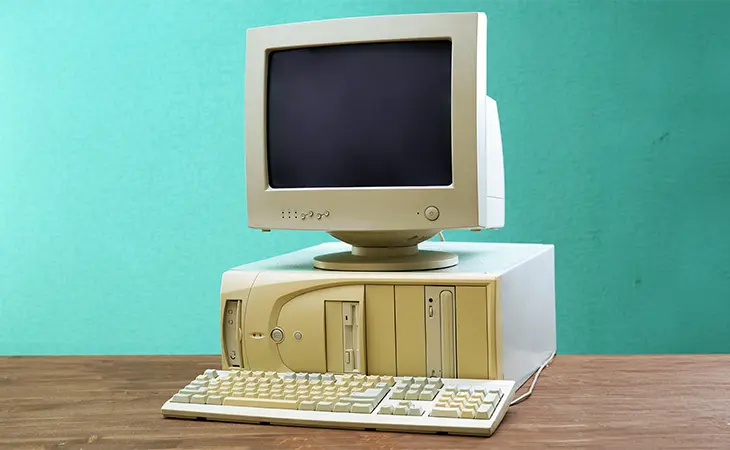
When your website feels old, Google sees it as a low quality experience, and that is exactly why google ignores outdated websites in favor of competitors who look more current and trustworthy.
Small businesses lose rankings every day, not because their service is bad, but because their website looks like it has not been touched since the early 2010s. Google pays close attention to design age, speed, user behavior, and mobile experience. If your site is behind the times, Google assumes your business is too.
This article breaks down why google ignores outdated websites and what you must fix now if you want customers and Google to take your business seriously.
Old Websites Trigger High Bounce Rates
Bounce rate is one of the strongest behavioral signals Google tracks.
If people land on your site and immediately leave because it:
- looks old
- feels sketchy
- looks unprofessional
- is hard to use
- loads slow
- breaks on mobile
Google notices.
Google thinks:
“People dont like this site. Let us stop sending people here.”
This is one of the biggest reasons why google ignores outdated websites.
It is not personal. It is mathematical.
Outdated Design = Outdated Trust
Your design is your reputation before a single word is read.
Old websites often have:
- low resolution images
- dated fonts
- ugly gradients
- old stock photos
- cluttered layouts
- poor spacing
- dead navigation
- tiny text
When a site looks “from another decade,” trust drops instantly.
And Google prioritizes trust.
Once customers lose trust, Google loses confidence too.
Outdated Websites Are Usually Slow
Speed is a massive ranking factor.
Old websites commonly suffer from:
- uncompressed images
- bloated themes
- outdated hosting
- messy plugins
- zero caching
- zero compression
This is deadly.
Users do not wait.
Google does not wait either.
Free speed testing tools:
Run your site.
You will see why google ignores outdated websites the moment you look at the waterfall chart.
Mobile Experience on Old Sites Is Terrible
Over 70 percent of your visitors are on their phone.
Old sites usually have:
- tiny buttons
- overlapping text
- broken menus
- impossible-to-read paragraphs
- images that dont scale
- layout shifts
Google uses mobile first indexing now.
If your mobile site looks bad, Google acts like your entire site is broken.
Mobile test tool:
https://search.google.com/test/mobile-friendly
This alone explains why google ignores outdated websites more than ever.
Outdated Sites Lack Modern SEO Structure
Google reads your site like a book.
If the book is missing pages, Google tosses it aside.
Outdated sites usually have:
- missing H2s
- dead internal links
- outdated plugins
- broken SEO settings
- thin content
- duplicate titles
- no schema
- old metadata
- missing alt tags
These are red flags.
You can check them using:
- SEO Minion: https://seominion.com
- Ahrefs Free Tools: https://ahrefs.com/seo-tools
Old structure = poor ranking potential.
Outdated Content Kills Freshness Signals
Google prefers businesses that update content regularly.
Signs of an outdated site:
- last blog post from 2019
- old pricing
- outdated services
- outdated reviews
- “copyright 2017” in the footer
- old trends
- no new pages
Outdated content tells Google:
“This business is not active.”
And that is exactly why google ignores outdated websites and pushes newer ones ahead.
Your AI tools article is a great example of modern, fresh content:
https://rocketwebdesigner.com/blog/ai-tools-for-small-business-in-2025/
Google sees that and rewards it.
Outdated Sites Usually Have Broken Links and Errors
Over time, things break:
-
old URLs
-
outdated redirects
-
removed images
-
dead pages
-
old plugins
-
expired embeds
Google crawlers hit these errors and lower your ranking.
Check your site using:
This step alone fixes huge ranking issues.
Outdated Websites Look Unsafe
Security matters.
Old sites often have:
- expired SSL
- outdated forms
- JavaScript errors
- broken third party scripts
- outdated WordPress versions
- old themes vulnerable to attacks
Google sees risk and suppresses your visibility to protect users.
You can test security basics with:
If your site looks unsafe, Google will hide it.
Tools To Check if Your Website Looks Outdated
These tools help small business owners identify outdated design and tech quickly:
1. Nibbler Website Analyzer
https://nibbler.silktide.com
2. BuiltWith
https://builtwith.com
3. Hotjar (free plan)
https://hotjar.com
4. Wave Accessibility Tool
https://wave.webaim.org
If these tools show red flags, Google sees the same thing.
Final Thoughts
Now you know why google ignores outdated websites. It is not about being harsh. It is about giving users the best possible experience. Outdated sites create frustration, slow loading, low trust, and bad mobile usability. A modern, fast, clean website sends the opposite message. It tells customers and Google that your business is alive, relevant, trustworthy, and ready to serve.
Further Reading
For more ways to improve your website and rankings, check out these resources:
- Rocket Web Designer – Key Challenges Facing Business Owners in Broward County Today
- Rocket Web Designer – AI Tools for Small Business in 2025
- Google PageSpeed Insights – Website Speed Testing
- GTmetrix – Performance Reports
- Dr. Link Check – Broken Link Scanner
- Nibbler – Website Quality Checker
[elementor-template id=”14586″]